Geographic Information Systems
Agent
I’m a GIS Technician just like the one on your team, the only difference is I live inside your computer
and work whenever you need me
Built by Engineers at

How to work with me?
Four simple steps
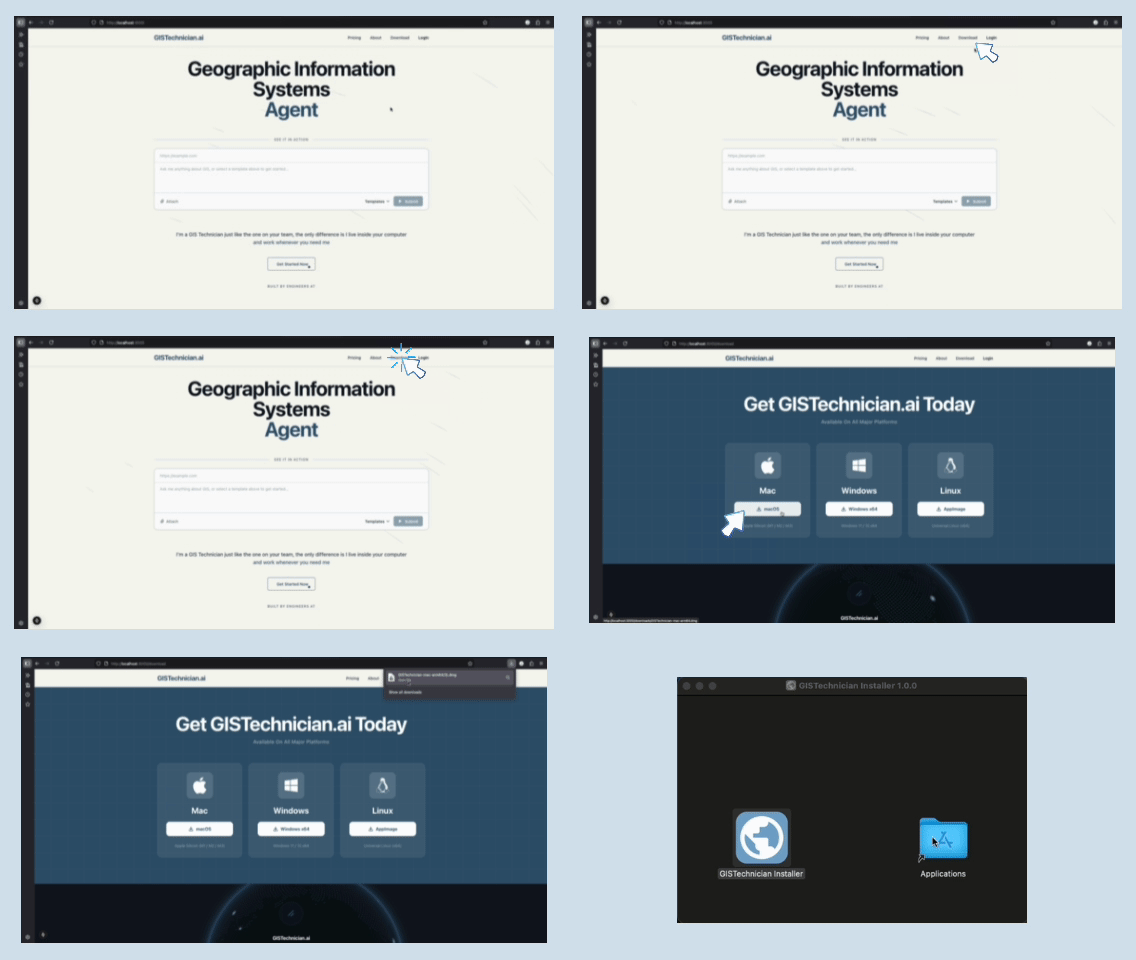
Install me
Install me
Download me to the computer I'll be working from. I'll live there, ready to go anytime you need me.
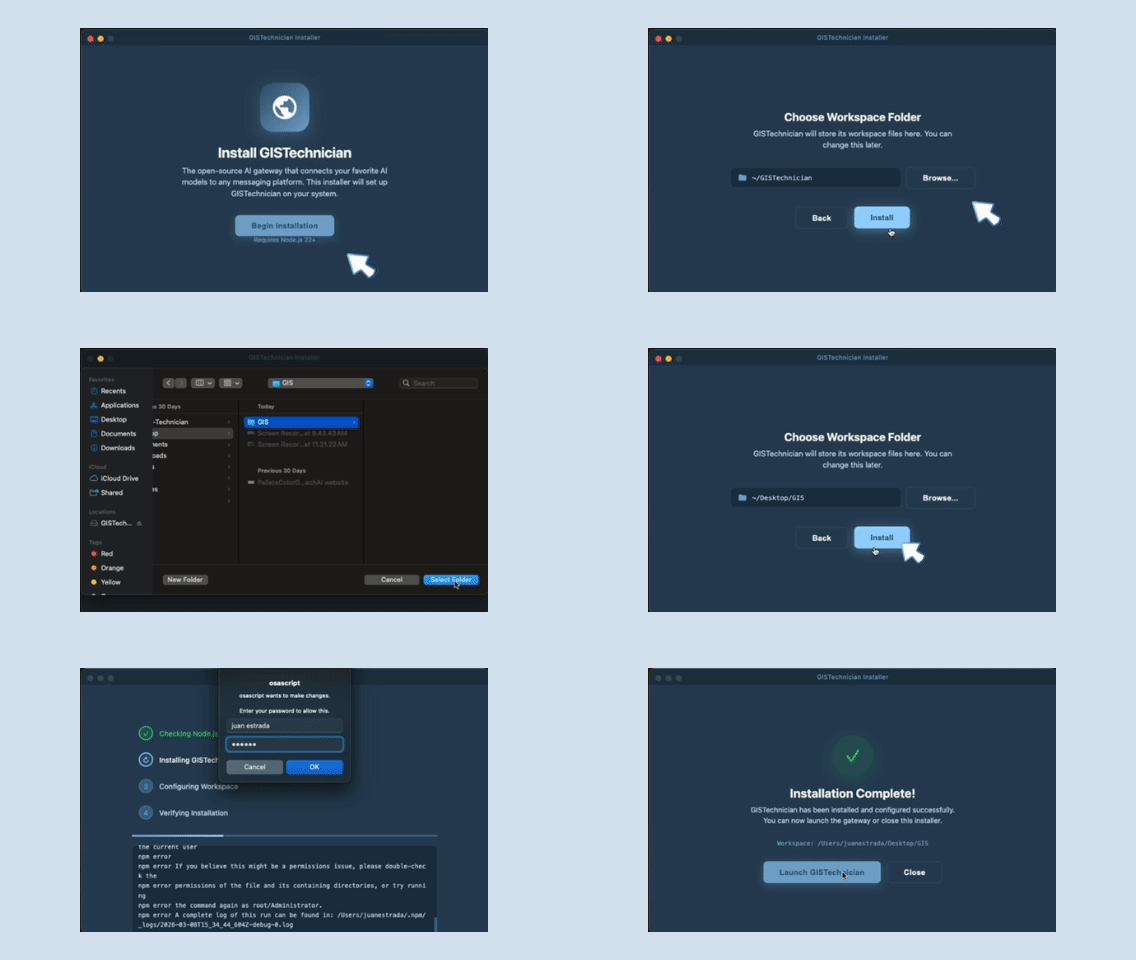
Give me a home folder
Give me a home folder
Tell me which folder to work out of. That's where I'll save everything I produce.
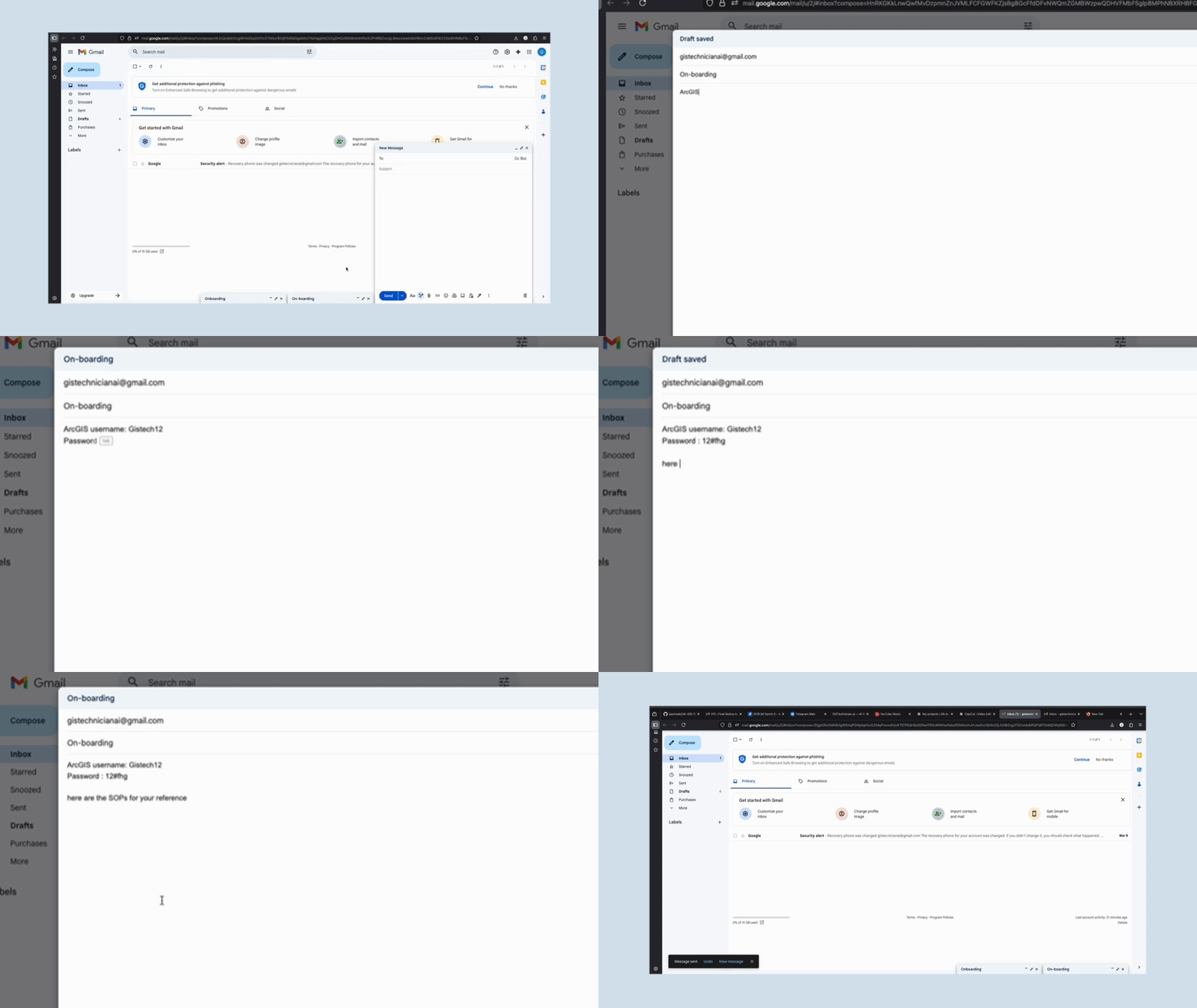
Share your SOPs with me
Share your SOPs with me
Hand me your Standard Operating Procedures. I'll follow them exactly the way your team does. I'll also review them to gather the software I need like QGIS, ArcGIS Pro, AutoCAD, and anything else the job requires.
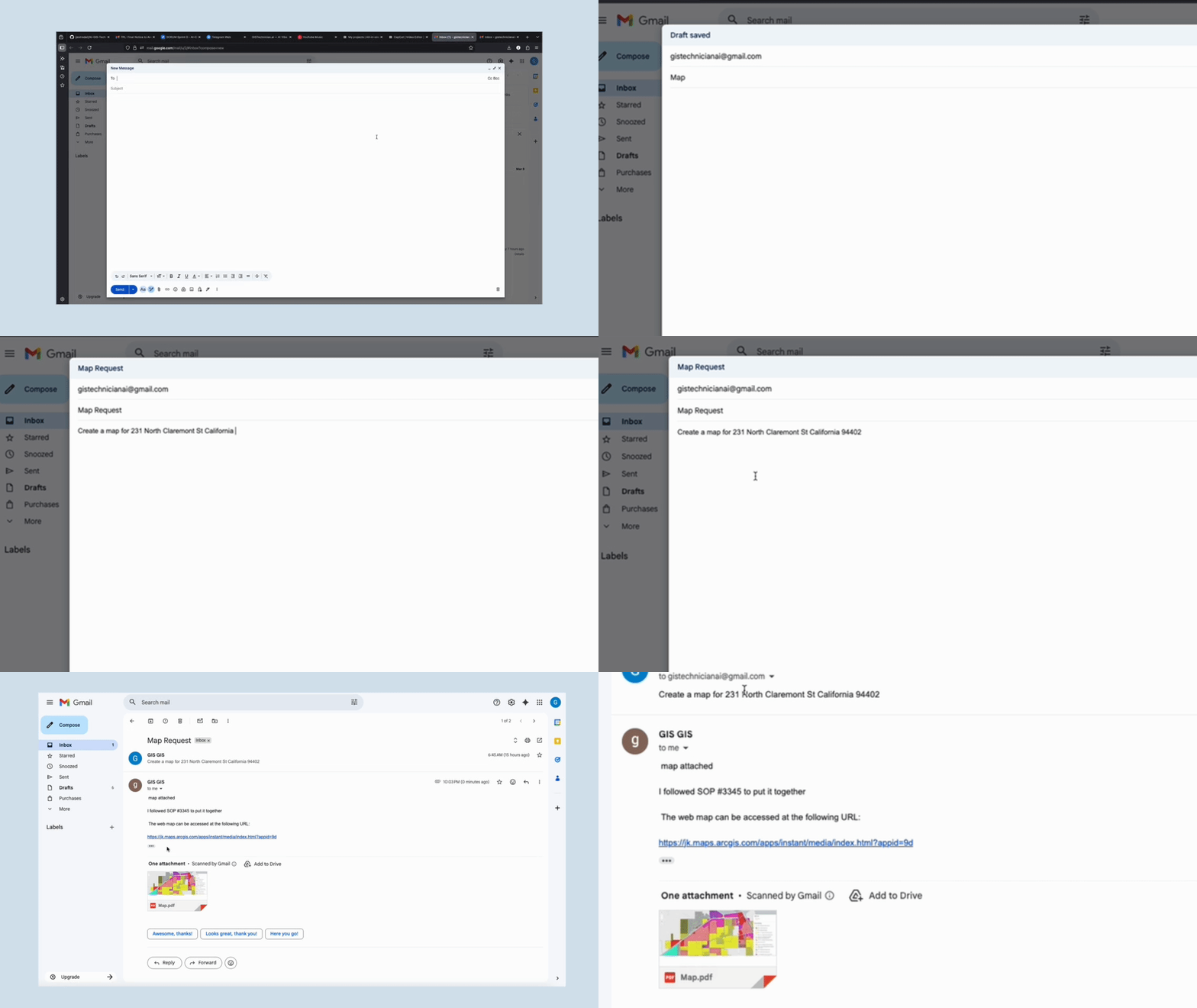
Send me the work
Send me the work
Assign tasks through email, Teams, Slack — whatever your team already uses. I'll take it from there.
Built for teams that ship fast.
Watch our launch and hear from our customers.
Ready to get to know me?
Download me and add a GIS technician to your team today.